
Archive
Instructions for the earlier Bittimaatti ATMs
These machines are retired one by one from 20 November 2026. Do not use these instructions for a visit: the new Bitcoin Guru ATMs work differently.
Buying guide for the new ATMs →Selling guide for the new ATMs →
We keep these instructions for customers who need to check how an earlier Bittimaatti transaction was meant to work, for example when filling in a transaction claim. Transaction claim form →
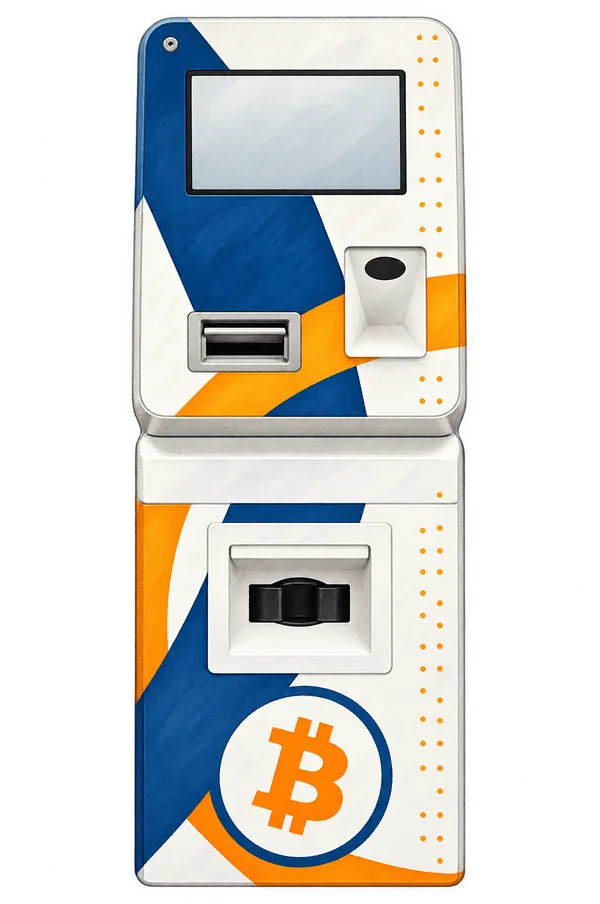
Buying crypto with cash
- Choose Buy on the ATM screen. Select the cryptocurrency you want to receive. Confirm that your own wallet supports that exact asset and network. A similarly named token is not a substitute.
- Confirm the terms and your details. Read the terms on the ATM and choose Yes only if you accept them; No returns you to the start. Enter your phone number, then enter the PIN received by SMS on the ATM screen. Enter the first and last name of the recipient when asked. Keep the PIN private.
- New customer? Register first. If the ATM asks you to register, scan its registration QR code with your phone camera. Complete Sumsub identification and the customer-information questions on your phone: provide the requested photo, phone number, email, personal details and identity document. Pressing OK on the ATM ends this registration session; start again after verification succeeds. A manual review can take until the next business day. Check your email for the registration result. An already verified customer follows the machine’s next prompt.
- Show your receiving QR to the scanner. In your wallet app, select the asset and network, then tap Receive to display your receiving QR code. Hold it in front of the scanner on the right of the ATM: you are showing your address, not photographing the machine. Compare the address displayed on the ATM with your wallet: they must be exactly the same.
- Check the complete quote. Check what you pay, what you receive, the service fee and any network fee. The amount after fees is what matters. Stop before inserting cash or sending crypto if something is unclear.
- Insert cash only when asked. Check the destination and quote before inserting cash: on the earlier Bittimaatti machine, an inserted banknote committed the purchase and could not be returned by the ATM. Feed in the notes as instructed, verify the counted amount, then press Send. A failed transaction needs customer-service investigation; refunds are not automatic or instant.
- Keep a record of the transaction. The earlier machine offered to send the receipt by SMS; it could also be photographed. Save the receipt or transaction reference, the venue, date and amount. If you need help, these identify the transaction. Never share a wallet recovery phrase, password or cash collection code. Check your wallet; delivery depends on processing and network confirmations, so it may not be immediate.
Selling crypto for cash
- Choose Sell on an ATM that dispenses cash. Check that the machine offers selling and has enough cash. On its screen, select Sell and the cryptocurrency you will send. Do not send anything yet.
- Confirm the terms and your details. Read the terms on the ATM and choose Yes only if you accept them; No returns you to the start. Enter your phone number, then enter the PIN received by SMS on the ATM screen. Enter the first and last name of the recipient when asked. Keep the PIN private.
- New customer? Register first. If the ATM asks you to register, scan its registration QR code with your phone camera. Complete Sumsub identification and the customer-information questions on your phone: provide the requested photo, phone number, email, personal details and identity document. Pressing OK on the ATM ends this registration session; start again after verification succeeds. A manual review can take until the next business day. Check your email for the registration result. An already verified customer follows the machine’s next prompt.
- Check the complete quote. Set the cash amount using the ATM’s 20, 50 and 100 buttons, then check the quote before accepting. Check what you pay, what you receive, the service fee and any network fee. The amount after fees is what matters. Stop before inserting cash or sending crypto if something is unclear.
- Scan this transaction’s payment code. In your wallet, choose Send and scan the payment QR displayed by this transaction. Match the network, destination and exact requested amount, then approve the transfer in your wallet. Keep extra crypto for the wallet’s network fee so the payment is not short. Never reuse an old code.
- Wait for the machine’s confirmation. Read the ATM messages and keep your receipt. Network confirmation can take time; do not make a second transfer because the first is still processing. If asked, enter your phone number and SMS PIN for collection instructions.
- Collect cash from the same ATM. When ready, take the notes. If collection is delayed, return to the same ATM after its confirmation message. The Bittimaatti instructions allowed 24 hours after the SMS; the deadline of the transaction applied. Choose Redeem and follow its phone/SMS prompts. Keep the code private. If the deadline was missed, use the transaction claim form.
- Keep a record of the transaction. The earlier machine offered to send the receipt by SMS; it could also be photographed. Save the receipt or transaction reference, the venue, date and amount. If you need help, these identify the transaction. Never share a wallet recovery phrase, password or cash collection code.